Cookbook App
CookOff also works as a cookbook app for saved recipes.
A cooking challenge app is more useful when it still helps people after the round ends. That is where the cookbook side of CookOff matters. Users can save recipes, organize dishes into groups, and keep the entries they want to make again later.
This makes CookOff more than just a competition product. It also functions as a cookbook app that grows with a user's activity. The same app that helps someone join a challenge can help them manage a personal collection of favorite dishes.
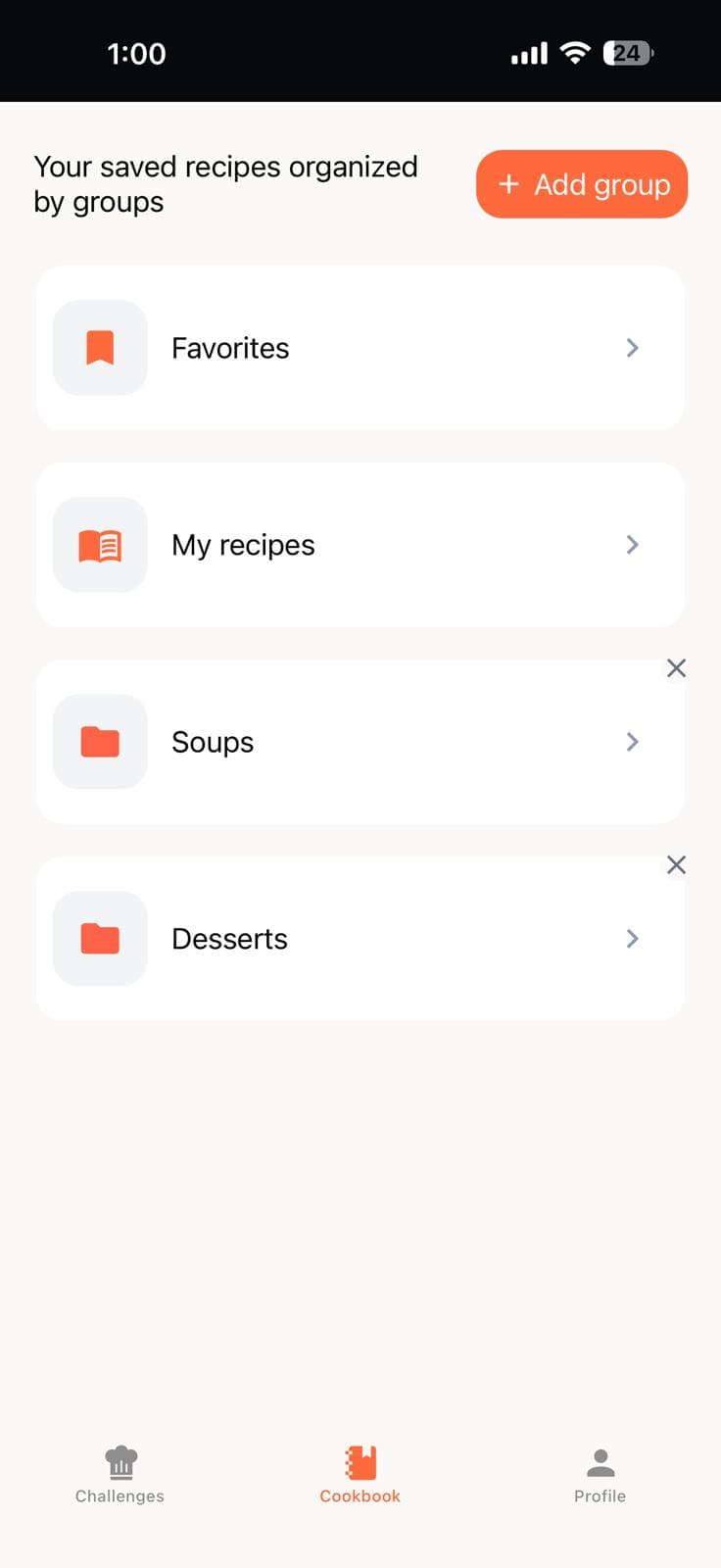
How the cookbook feature works
Any recipe submitted in a CookOff challenge can be saved with one tap. Saved recipes appear in your personal cookbook, where you can organize them by type, cuisine, or occasion. The recipes stay there permanently, separate from whatever competition round they came from.
- Save any recipe from a live challenge round.
- Organize saved recipes into named collections.
- Revisit and reference saved dishes between challenges.
- Build a lasting recipe library through everyday participation.
What users get from the cookbook feature
- Saved recipes in one place
- Organized groups for different dish types
- A stronger reason to revisit old entries
- A bridge between discovery and long-term use
People who save recipes from challenges tend to engage with the app more consistently. The cookbook gives them a reason to return even when there is no active round. It functions as a passive layer of utility that runs alongside the more active competition features.
Why CookOff works as a cookbook app
Most cookbook apps store recipes you enter manually or import from external sources. CookOff works differently — the recipes inside it come from real cooks who participated in real challenges. That means every saved dish has a visible author, a competition context, and a photo. The result is a cookbook that feels curated rather than manually assembled.
That combination of competition and collection also means the cooking challenge app and the cookbook app reinforce each other. Every challenge you join is a chance to discover new recipes worth saving. Every saved recipe is a record of something that already impressed you in a real cook off.
Cookbook and public profiles
Your cookbook connects to your public profile inside CookOff. Visitors to your profile can see the dishes you've made in challenges and get a sense of your cooking style. You can also pin a signature dish — the recipe that best represents what you cook — at the top of your profile for anyone to discover.
This makes the cookbook useful in two directions: as a private collection for your own reference, and as part of a public cooking identity. If you also run private cook offs with friends, the recipes from those rounds flow into the same cookbook, keeping everything in one place regardless of how public or private the challenge was.