Private Cook Off With Friends
Run a private cook off with friends inside CookOff.
Not every cooking challenge needs a public audience. Sometimes the best format is a private cook off with friends, roommates, family members, or a dinner club. CookOff supports that with invite-only challenges that keep the competition inside your circle.
Private challenges make the app useful for birthdays, recurring weekly dinners, themed nights, and casual competitive cooking. The process stays simple: create the challenge, invite the people you want, choose whether it is just for fun or more competitive, and let everyone submit their dish.
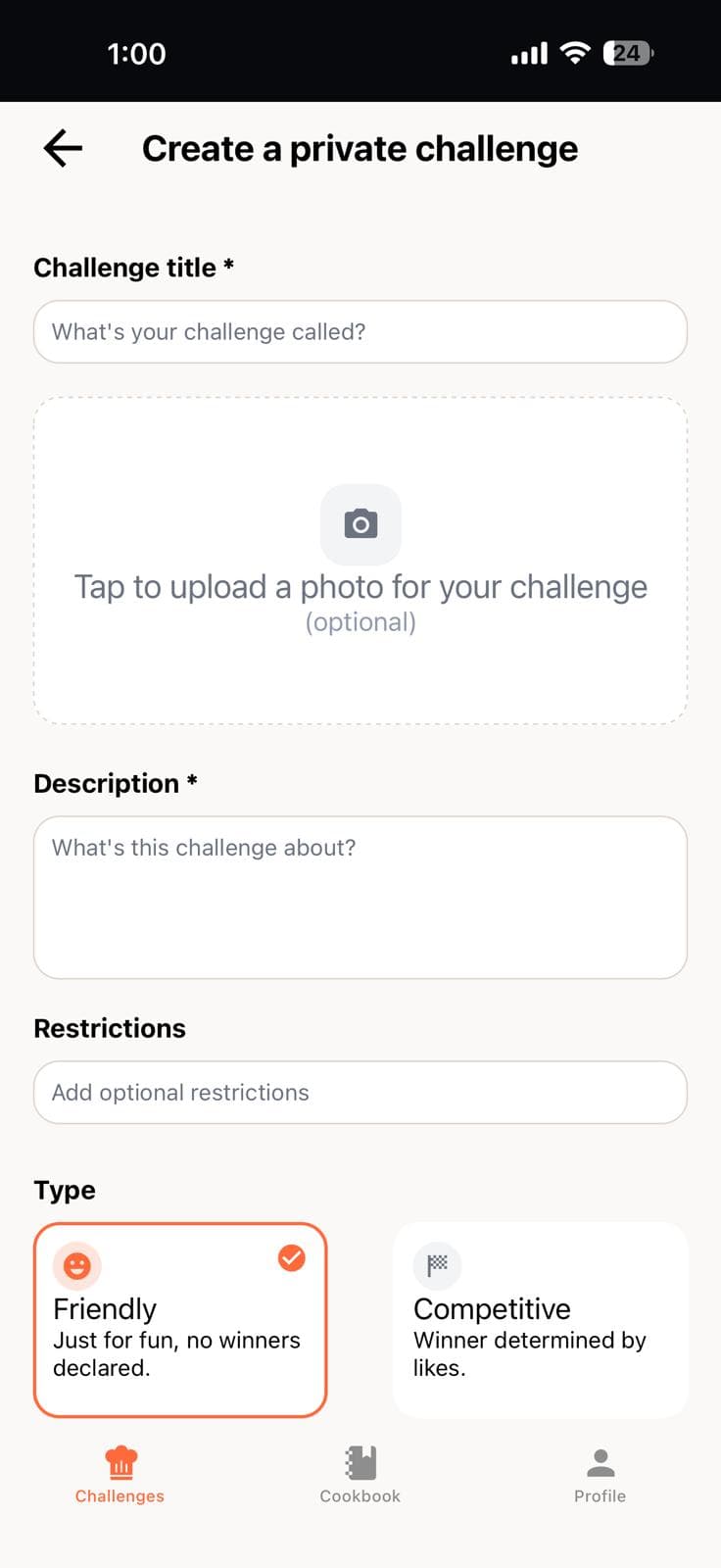
How to set up a private cook off
Setting up a private challenge takes a few steps. Choose a theme, set the time window, and send invites to whoever you want in the round. Everyone has until the deadline to submit their dish.
- Name your challenge and pick a theme.
- Set the start time, end time, and visibility to private.
- Share the invite link directly with your group.
- Watch submissions come in and react to each other's dishes.
When private challenges are useful
- Friend groups who want a fun cooking game.
- Families doing themed dinner nights.
- Couples trying mini weekly cooking competitions.
- Small communities who want invite-only challenges.
- Work teams running a friendly office cook off.
Why CookOff fits private cook offs
A private cook off with friends works best when the app supports invitations, challenge setup, recipe posting, and follow-up discovery in one place. CookOff does that without forcing users into a public feed. After the challenge ends, recipes can still be saved to cookbooks so the content remains useful.
The app also lets anyone explore food challenge ideas if you need inspiration for themes. Whether it is a comfort food night, a budget dinner battle, or a seasonal cook off, you can turn any idea into a real round inside CookOff.
Private vs. public challenges
CookOff supports both modes. Public challenges let anyone on the platform join and discover your submission. Private challenges keep everything inside your invited circle. You can run both at the same time — joining a public round while also hosting a separate private cook off with friends.
Both formats work the same way from a submission standpoint. The only difference is who can see and join the round. Saved recipes and cookbook entries work identically in both cases, so every recipe you make in a private round can still be saved to your personal collection.